找不到指令時,提示安裝套件#
原始的 ZSH 在找不到指令時只會顯示:
1> curl
2curl: command not found
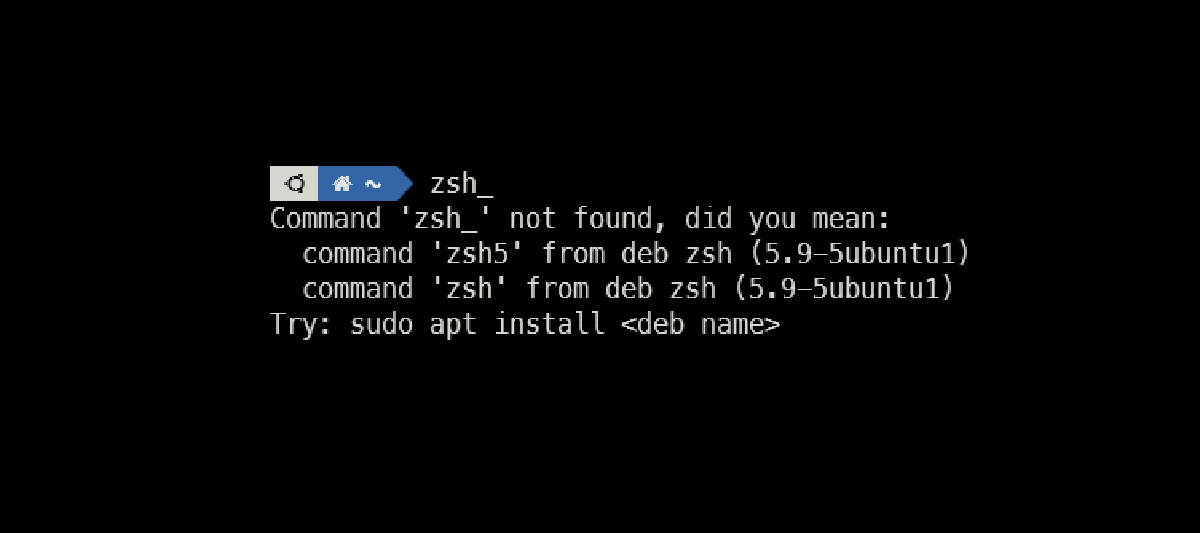
讓它變成更人性化的提示:
1> curl
2Command 'curl' not found, did you mean:
3  command 'curl' from snap curl (8.19.0)
4  command 'curl' from deb curl (8.5.0-2ubuntu10.8)
Install command-not-found package#
1sudo apt install command-not-foundEdit config file to auto load#
1echo "source /etc/zsh_command_not_found" >> ~/.zshrcReload current session#
1exec zshReferences#
- 《command line - How do I enable zsh package suggestions as in Ubuntu bash? - Ask Ubuntu》https://askubuntu.com/questions/1226574/how-do-i-enable-zsh-package-suggestions-as-in-ubuntu-bash